
History Lesson: Microsoft Works and the .wps File
A cheap home suite, letters that were never Word, and the files Word stopped opening.
TL;DR
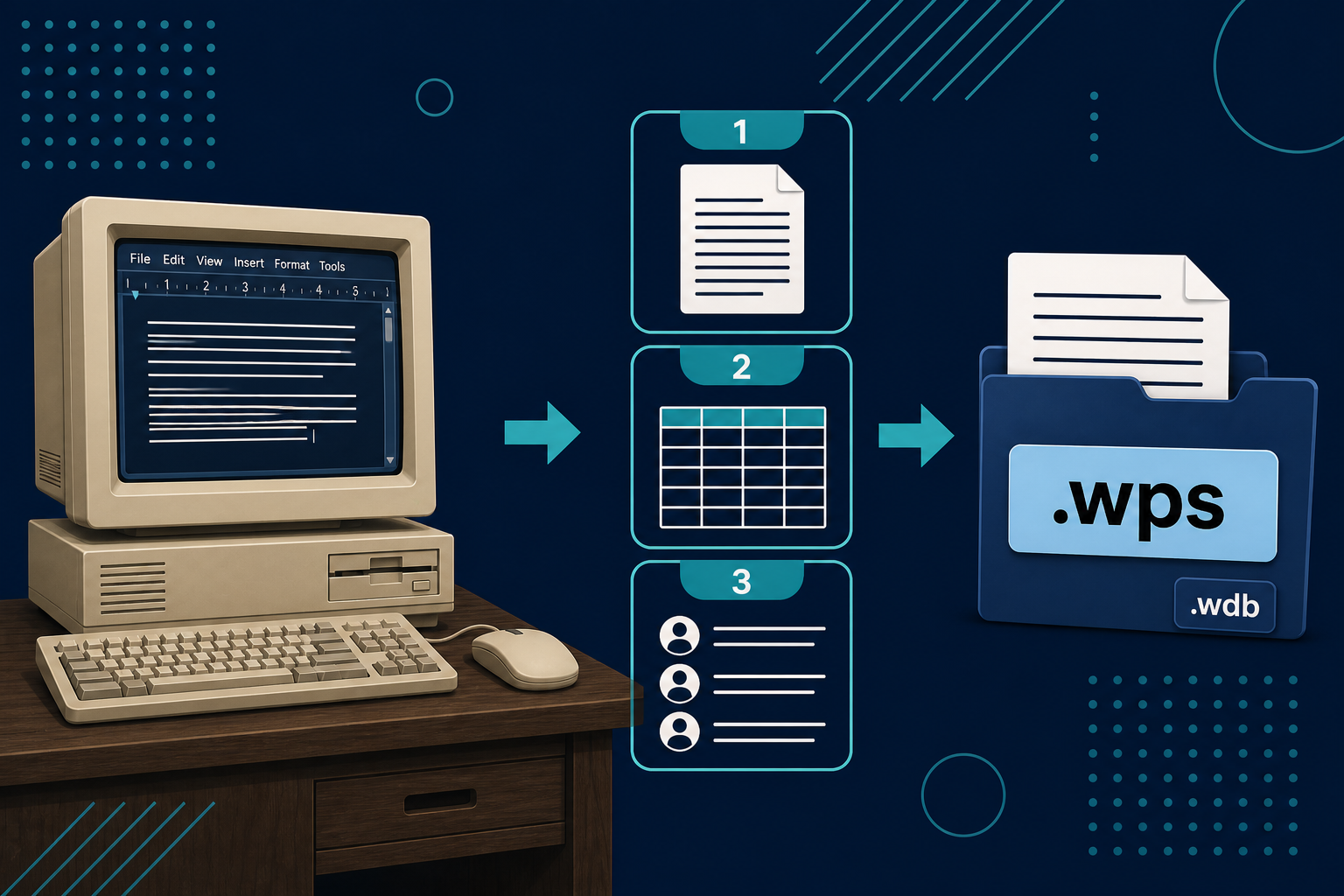
Microsoft Works was not Word. It was a cheaper integrated home suite — letters, numbers, and lists in one box — first shipped for Macintosh on 2 October 1986, then DOS (1987) and Windows (1991). PC makers preinstalled it for years. Default saves were Works formats (.wps, later .xlr, .wdb), not Word or Excel. Works 9 was the last version; support ended 10 October 2012. Word 2010 could still open Works 6 and later; Office 2013 and 2016 have no converter options. Legacy File Converter reads .wps locally on Windows.
Not Word — a cheaper suite on the same shelf
Works is easy to misremember as a cut-down Word. It was not. It was a separate product: an integrated suite aimed at home and small-office buyers who needed a letter, a simple sheet, and a list of names without buying the full Office stack. The word processor, spreadsheet, and database lived together. That packaging is why a household folder from the late 1990s often holds .wps letters beside .wdb address lists — and why people still call the pile "Word files" when it never was.
Macintosh first, then the PC
Microsoft's own timeline puts the first ship on the Macintosh: 2 October 1986. Contemporary Macworld and MacUser coverage treated it as an integrated package — one product for writing, numbers, and lists — not a single-purpose word processor.
The Mac product did not appear from nowhere. InfoWorld in 1985 already covered MouseWorks / Productivity Software before Microsoft published Works. That earlier line is part of the origin story. It is not the same claim as later folklore about who wrote which module.
DOS Works was unveiled on 14 September 1987. The first Windows release arrived in September 1991. The Baltimore Sun put the Windows list price at $199.95, against $495 for Word for Windows — the price gap was the product. Later catalogs often call that Windows ship Works 2.0.
Built for the living-room desk
Works chased home and small-office chores: Wizards, mail merge, a simpler spreadsheet, and list tools you did not have to learn like Access. The first Windows Works left out a communications module because Windows 3.0 already shipped with Terminal. The suite was meant to feel complete without duplicating what the operating system already gave you.
PC makers preinstalled it on home machines through the late 1990s and 2000s — a pattern the Washington Post noted at the time and PCWorld was still describing in 2009. For a lot of families, Works was simply "the program that came with the computer."
Works 4, Home Essentials, and the Suites
Works 4.0 for Windows 95 shipped in August 1995. Works 4.5 followed on 20 October 1997 at about $54.95. Microsoft said more than one million people had obtained Works since August 1995 — their figure for that window, not a lifetime total.
Bundles blurred the line with Word without erasing it. Home Essentials 97, announced around 6 February 1997 at about $109, boxed Word 97 with Works 4.0. Works Suite 2000 and 2001 followed the same idea: Word (or other Microsoft titles) in the box beside Works. Microsoft's lifecycle materials list Works Suite 2006 as the last Suite in that line.
What .wps, .wks, .xlr, and .wdb actually are
The extensions matter because they do different jobs — and because one of them collides with another famous spreadsheet:
- .wps — the Works word processor document. Letters, school papers, club newsletters.
- .wks — an older Works spreadsheet extension. The same three letters also mark early Lotus 1-2-3 worksheets. Same label, different files; do not assume one opens as the other.
- .xlr — the spreadsheet for Works 6 through 9. Microsoft described it in 2000 as Excel 97-compatible.
- .wdb — the Works flat database. There was no Access importer for these lists.
Early .wps files often begin with the bytes 01 FE. Later Windows Works documents moved into a Microsoft compound file container — the same kind of structured box that held classic .doc files — while remaining Works documents, not Word documents. Opening one in a modern Word build is not the same as renaming the extension.
One naming collision still trips people up: Kingsoft WPS Office is a different product that later reused the .wps extension. A file from that line is not a Microsoft Works letter.
When Word stopped opening the letters
Word 2010 could open Works 6 and later. For Office 2013 and Office 2016, Microsoft says there are no converter options. The letters did not become Word files because you still own a PC. The bridge Microsoft once shipped is gone.
Works 9, then Office Starter
The last version was Works 9. Microsoft's lifecycle start date is 28 September 2007; support ended 10 October 2012.
In October 2009, Microsoft discontinued Works for new PCs. The replacement on that shelf was Office Starter 2010 — Word and Excel with ads — not WordPad, and not Windows Live. Starter did not replace the Works database. Households that had kept address lists and club rosters in .wdb lost that piece of the suite with nothing equivalent in the Starter box.
The files are still there
Legacy files exist for ordinary reasons. Works defaulted to its own formats. Home and school letters stayed .wps. Many of those letters sat next to paired .wdb lists. The converters that once bridged into Word disappeared. A Windows 11 PC is often just where someone opens the old Documents folder and finds a decade of family correspondence that Word will not touch.
A .wps from 2003 is not a curiosity. It is a school report, a church bulletin draft, a letter to a relative, a resume that never got re-saved as .doc. The application that wrote it is gone. Word will often refuse it. The bytes are still a Works document.
If you need those pages in Word or as a PDF, convert them on this PC. Do not upload a family archive to a random website.
Legacy File Converter reads .wps locally on Windows and writes DOCX, PDF, and other modern formats. Nothing is uploaded.
Skip random online converters
Family, school, and small-office Works files should stay on the machine that already has them.
Add .wps files or a folder
Drop individual Works word-processor documents or point at a folder of .wps letters.
Choose DOCX or PDF
DOCX for editing in Word; PDF for a frozen archival copy.
Convert offline
Everything stays on this PC. Nothing is uploaded.
Related reading
Ready to open your old files?
Start free, then unlock unlimited conversions with a one-time $79.95 Standard license. Download the Windows installer — full features for up to 10 files.
Free trial
Full app features · up to 10 files
Windows 10 or 11
Same free trial as always — download the Windows installer and convert locally on your PC.
Direct Windows installer · offline MSI
Is this safe? — publisher, installer, and SmartScreen help
Requires Windows 10 or 11. No subscriptions. 100% Windows Native.