
History Lesson: What Is a .abw File? AbiWord Document Format
AbiWord’s XML-native document — lightweight FOSS word processing, and why Word won’t open .abw.
TL;DR
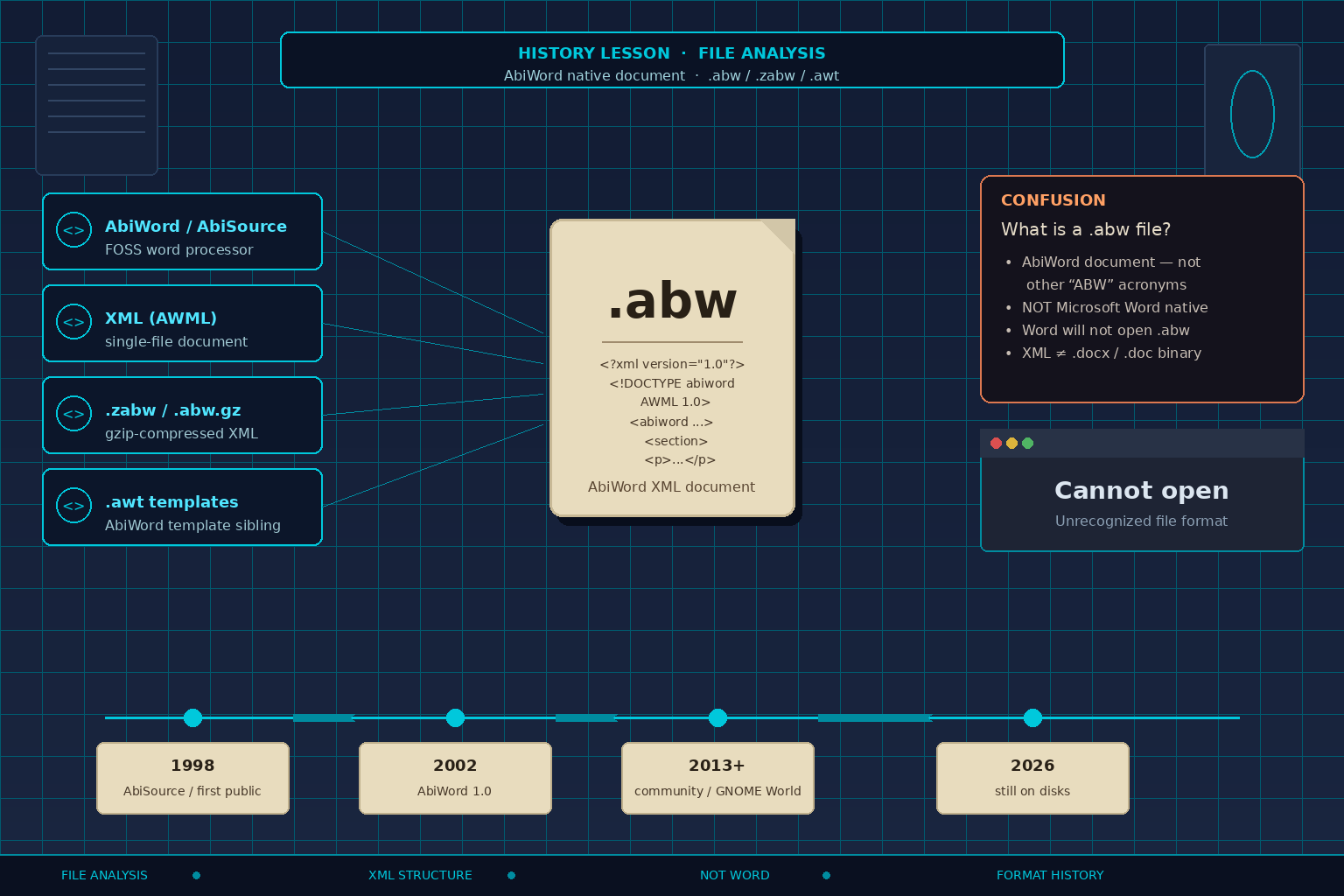
A .abw file is an AbiWord word-processor document stored as XML (AWML — AbiWord Markup Language), typically application/x-abiword. It is a single-file native format — not Microsoft Word .doc / .docx. Microsoft Word will not open .abw natively. Legacy File Converter lists AbiWord / .abw among supported documents and converts locally on Windows — nothing is uploaded.
What is a .abw file?
A .abw file is a document from AbiWord, a free / open-source (FOSS) cross-platform word processor. Spell XML as Extensible Markup Language, and AWML as AbiWord Markup Language — the document type declared on these files (public identifier along the lines of `-//ABISOURCE//DTD AWML 1.0 Strict//EN`, with a historical DTD at abisource.com). The Internet media type is often application/x-abiword.
Unlike a classic Microsoft Word binary .doc, or a modern .docx (a ZIP of many Office Open XML parts), a plain .abw keeps the document in one XML file: root element `<abiword>`, with metadata, styles, sections and paragraphs (`<section>`, `<p>`, character spans `<c>`), page size, and often base64 images inside a `<data>` section. Opening .abw in a text editor can show readable structure. That does not mean Word will import it.
.abw means AbiWord — not every “ABW”
People searching “what is a .abw file” sometimes hit unrelated ABW acronyms. In this History Lesson, .abw is the AbiWord document extension.
Will Microsoft Word open a .abw file?
Microsoft Word does not natively open .abw. Double-clicking a .abw in 2026 typically fails as an unrecognized or unsupported format — not because the document is empty. Historic AbiWord help told users to save as Rich Text Format (.rtf) when exchanging with Word. LibreOffice Writer has historically imported AbiWord documents — useful as an application path, not as a claim that Word “supports” the format.
Unrecognized ≠ empty
A Word window that refuses .abw is a format mismatch. The XML (or gzip-compressed XML) is still there; you need a real conversion step, not a rename.
How .abw differs from .zabw and .awt
`.abw` is the plain AbiWord XML document. Compressed siblings use `.zabw` or `.abw.gz`: same AWML XML, gzip-compressed (gzip magic bytes `1F 8B…`). Spell gzip as the common GNU zip-style compressor — not the same thing as a .docx ZIP package of many parts. `.awt` is an AbiWord template. Same product family; different on-disk roles.
So the quick map is: .abw (readable XML document) → .zabw / .abw.gz (gzip of that XML) → .awt (template). Renaming .zabw to .abw without decompressing does not help Word, and renaming .abw to .docx does not convert anything.
Single-file XML vs Word packages
AbiWord chose XML as its native format early on so documents had a clear structure. That is the opposite of opaque binary .doc — and still not what Word opens by default.
Where AbiWord came from (AbiSource / SourceGear)
AbiWord started at SourceGear Corporation as the first component of the AbiSource project and a proposed AbiSuite office suite. Eric Sink founded SourceGear (1997) and founded the AbiWord project; contemporary accounts credit him with much of the original design and implementation. The first public / developer alpha was announced around Open Source Developer Day / the O’Reilly Open Source conference on August 21, 1998 (version 0.1.0, source-only). The project aimed at Linux and Win32 early on and shipped under the GPL (GNU General Public License).
Contemporary AbiSource FAQ material explained the XML choice plainly: XML seemed a good structure for their documents. After SourceGear’s focus shifted and the AbiSource company effort wound down around the end of 1999 (maintainer interviews describe venture funding running out as StarOffice went open-source), volunteers continued the project. AbiWord 1.0 arrived April 19, 2002.
On Linux desktops, AbiWord was often packaged alongside other productivity apps and listed with GNOME Office meta-package collections next to tools such as Gnumeric. Treat that as a soft association — packaging and plugin hooks (including chart embedding via libgoffice) — not a hard claim that AbiWord was “GNOME’s official word processor” as a tightly integrated suite.
Why it spread: it was a lightweight FOSS word processor versus heavier office suites of the era, with an early XML-native format that appealed to open-source and Linux desktop users, plus Windows builds over time. Windows development later slowed for lack of maintainers (community notes cite later Windows releases in the 2.8.x / 2.9.x beta range) — hedge that as Windows builds lagging rather than a single invented “end date.” Linux and community packages continued; maintainers have also pointed to Flatpak / Flathub availability.
In the 2010s–2020s, the code lives under GNOME World / AbiWord on GitLab (`gitlab.gnome.org/World/AbiWord`). AbiWord 3.0.0 was tagged around August 2013; quieter periods followed, with maintainer commentary that the project was slow-moving but not dead. Community 3.0.x tags continued into the mid-2020s — for example 3.0.5 (Jul 2021), 3.0.6 (Nov 2024), 3.0.7 (Jul 2025), and 3.0.8 (Feb 17, 2026). That is tagged maintenance history, not a product roadmap. The old abisource.com site has had availability issues; the live community hub is the GitLab project, not a claim that the commercial site is still primary.
Why .abw files still sit on disks in 2026
Linux desktop, school, NGO, and lightweight-office installs from the 2000s–2010s often saved native .abw. Those documents still turn up on USB sticks, email attachments, archives, and migrated home folders. Compressed .zabw siblings sit beside plain .abw. Word or Google Docs users double-click and get an unrecognized format — not proof the file is blank.
A text editor that shows `<abiword>` is not proof you can paste the essay into modern Word without a real conversion. These are legacy files from a lightweight FOSS word processor that chose XML early, shipped widely on Linux desktops, and left .abw (and .zabw) on disks long after the creating machine was gone.
Legacy File Converter lists AbiWord / .abw among supported documents on Supported File Types and converts .abw locally on Windows. Nothing is uploaded — see also Convert Legacy Files Without CloudConvert. For other word-processor History Lessons in the same series, see StarWriter (.sdw) and WordPerfect (.wpd).
Related reading
Ready to open your old files?
Start free, then unlock unlimited conversions with a one-time $79.95 Standard license. Download the Windows installer — full features for up to 10 files.
Free trial
Full app features · up to 10 files
Windows 10 or 11
Same free trial as always — download the Windows installer and convert locally on your PC.
Direct Windows installer · offline MSI
Is this safe? — publisher, installer, and SmartScreen help
Requires Windows 10 or 11. No subscriptions. 100% Windows Native.