
After You Convert Legacy Files, Ask the Archive
Search still makes you guess the keyword. Filecite is what we are building next: ask in plain language, and the answer cites the file on this PC.
TL;DR
You already converted the estate dump or the old project folder. Search still wants a keyword you may not remember. Filecite is what we are building next to conversion: ask in plain language, get an answer that cites the file on this PC. Gather is the quiet step — collect a set, then ask that set. Coming soon — not a Plus feature, and not something that ships on Conversion Library.
The pile is converted. You still have to guess.
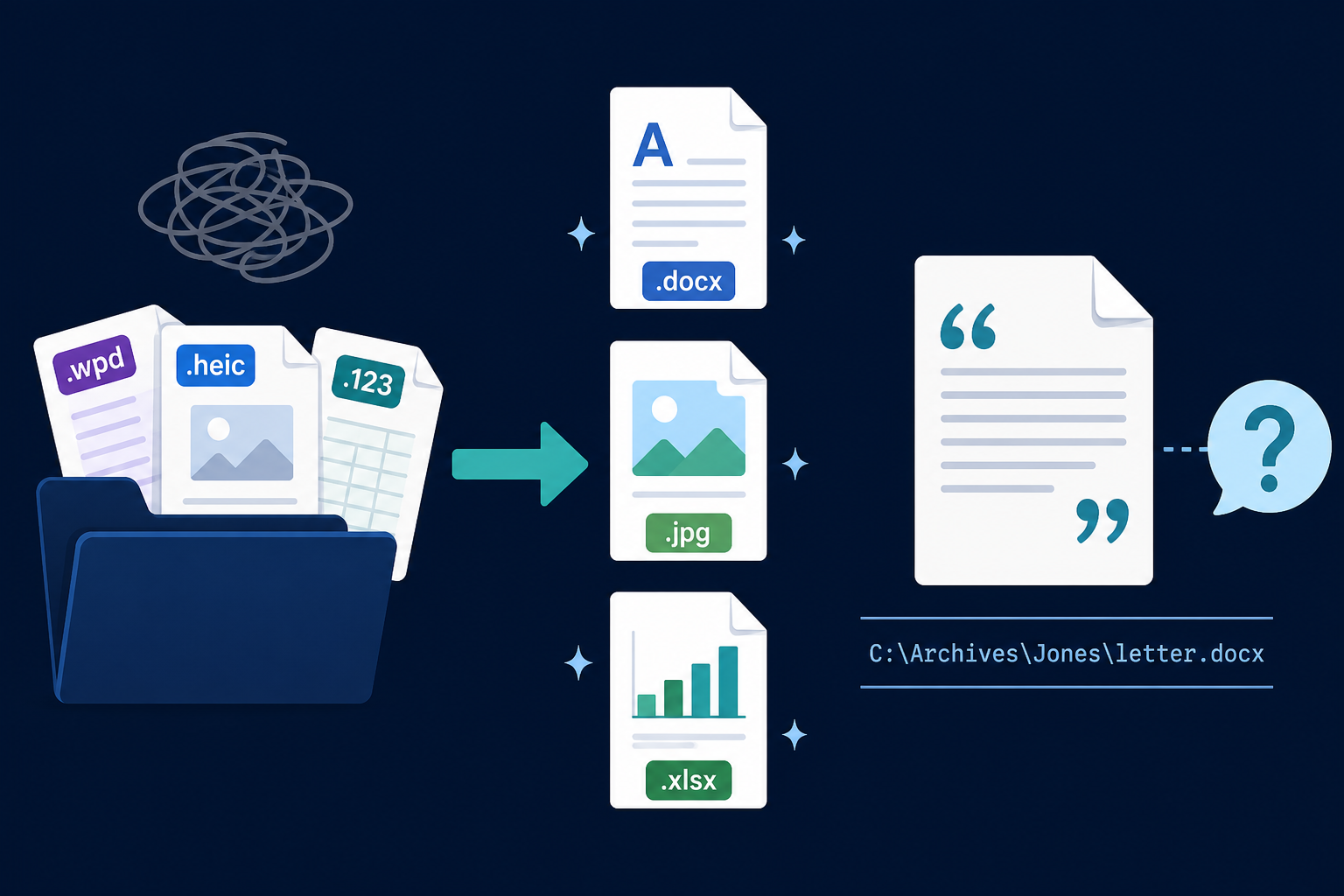
You ran Legacy File Converter on the legacy files Windows would not open. WordPerfect letters became DOCX. iPhone photos became JPG. Lotus sheets became XLSX. The formats are modern. Finding a sentence is not.
Search is good when you remember the word. Estate dumps and old project folders are the opposite: you remember the story, not the filename. You open twenty files because the clause is inside one of them.
Ask the files you already converted
Filecite is a separate product we are building next to conversion. It is not a Plus feature and it does not ship on Conversion Library. Plus stays the private library: index, search, preview, and today's Photo Map. Filecite is the next step: ask in plain language.
You point it at the folder you just converted. You ask a question the way you would ask someone who had read the pile. The answer cites a file on disk, with the path, so you can open that file and check.
The files stay on this PC. This is not a cloud chat and it is not a shared workspace.
Gather first when the pile is too big
Ask is the main action. Gather is quieter. You collect a set — this matter, this decade, these legacy files — then you ask that set. You are not searching the whole disk every time.
What this is not
- Not a Plus feature. Conversion Library Plus already searches and previews the converted library.
- Not shipping on Conversion Library or in Standard Legacy File Converter.
- Not for sale yet. Filecite is coming soon.
- Not a reason to upload a family or legal archive.
After convert
Convert the legacy files with Legacy File Converter
Turn the estate dump or old project folder into formats you can open — on this PC.
Keep the output folder on this PC
The converted set stays local. Nothing is uploaded.
When Filecite ships, ask that folder
Gather a set when the pile is large, then ask in plain language. The answer cites the file on disk.
Search and Photo Map today
If you want search and Photo Map today, that is Conversion Library Plus. Filecite is the ask layer we are building next — coming soon.
Summary
Conversion gets legacy files into formats you can open. Filecite is how you will ask that pile in plain language, with citations that stay on disk. Coming soon.
Related reading
Ready to open your old files?
Start free, then unlock unlimited conversions with a one-time $79.95 Standard license. Download the Windows installer — full features for up to 10 files.
Free trial
Full app features · up to 10 files
Windows 10 or 11
Same free trial as always — download the Windows installer and convert locally on your PC.
Direct Windows installer · offline MSI
Is this safe? — publisher, installer, and SmartScreen help
Requires Windows 10 or 11. No subscriptions. 100% Windows Native.