
Conversion Library Plus: Search a Mixed Legacy Archive on This PC
You converted the mixed pile. Conversion Library Plus is the private window over those files: documents, spreadsheets, and photos included.
TL;DR
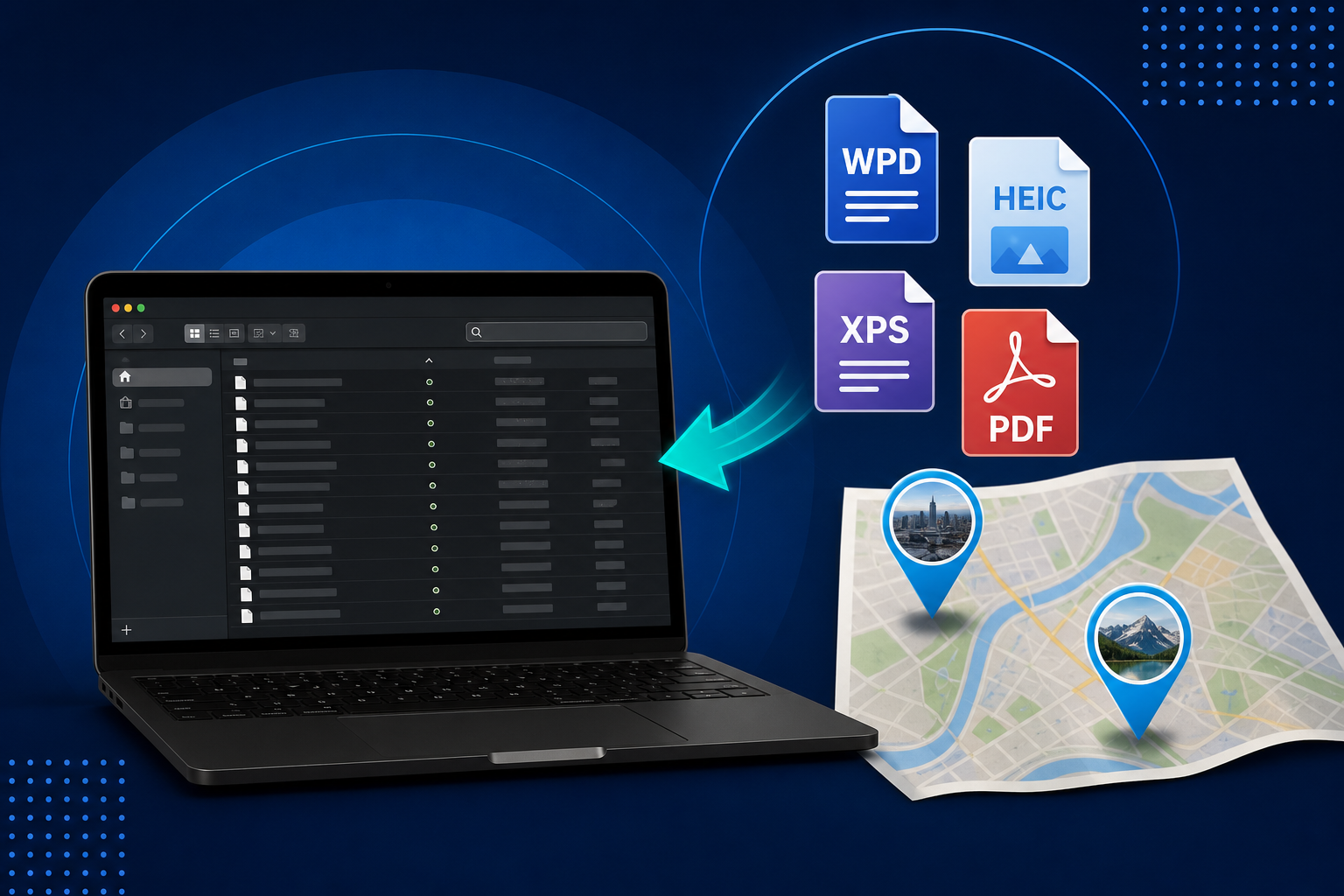
You converted the files. Now make them usable. Conversion Library Plus is your private library of the files you converted: search, preview, bookmark, and organize them on this PC. Nothing is uploaded. Standard converts the mixed archive. Plus unlocks the library in the same MSI with a Plus key ($29.95 one-time). On Legacy File Converter the library also includes a Photo Map, EXIF place/date/camera text, and in-library image preview for HEIC, HEIF, TIFF, and related stills.
A mixed legacy folder is never one format. It is WordPerfect letters next to Lotus workbooks, an XPS certificate, a stack of iPhone HEIC photos, and a few TIFFs from an old scanner. Legacy File Converter will turn that pile into DOCX, XLSX, PDF, JPG, and the rest, on this PC. Then you open the output folder and the pile is still a pile: modern extensions, same opacity.
The converted pile is still opaque
Filenames that were useless in 1996 are still useless after conversion. Explorer will not search a quoted phrase across DOCX, XLSX, and PDF in one pass, and it will not show you which photos were taken in the same town. That is the gap Conversion Library Plus is built for.
- The output folder is tidy. The contents are still unnamed.
- You open twenty DOCX files because the sentence you remember is inside one of them.
- Geotagged photos sit in a flat folder with no map.
- A reviewer asks for "the files about the house" and you have no subset to hand over.
A private library of the files you converted
You converted the files. Now make them usable.
Conversion Library turns your output folder into something you can search and navigate — without leaving this PC. Conversion Library Plus is your private library of the files you converted — search, preview, bookmark, and organize them on this PC. Nothing is uploaded. The private library window indexes the folder on this machine. It is not a cloud library and it is not a shared workspace.
Keep more than one library on the rail: the inherited-PC dump, the office archive, a one-off folder from a ZIP you already converted. Rename an entry, pin the ones you return to, and remove a library from the rail when that project is done. Removing it does not delete the files.
Search the documents and the photo metadata
The local full-text index covers converted documents and spreadsheets. DOCX, XLSX, PDF, HTML, Markdown, CSV, so a quoted phrase such as "deed of gift" or a last name can surface the right file. Refine narrows by type or folder when the first list is too wide.
On Legacy File Converter the same index also uses EXIF that came with the photos: place, date taken, and camera. Those values are searchable text and they become tags you can click. A search for a town name or a year can hit both a converted letter and the pictures taken there.
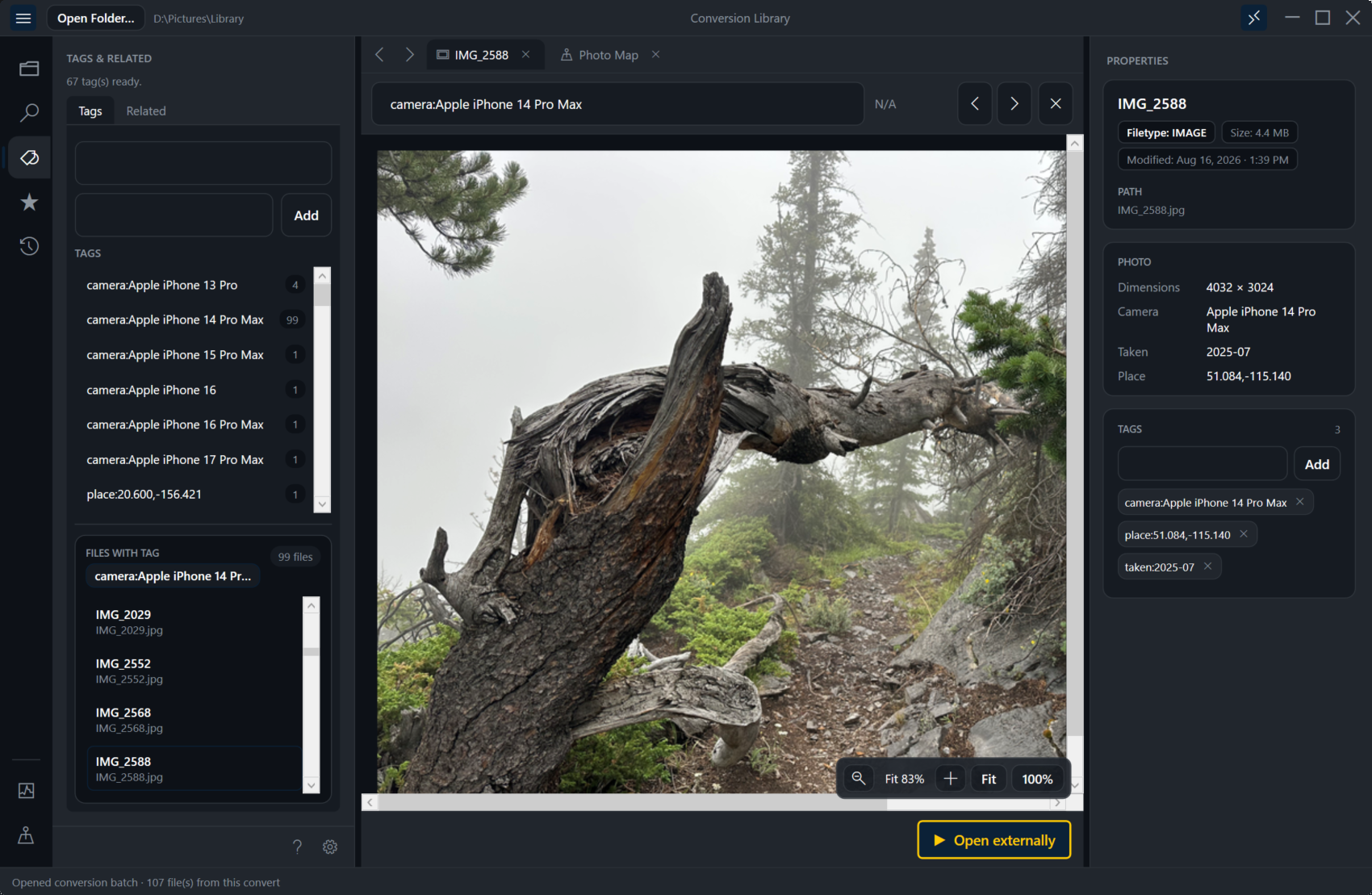
- Quoted phrases and Refine by type or folder.
- Saved searches: named collections on that library. One click to reapply.
- History of opens, indexes, conversion batches, saved-search runs, and review-pack exports.
Photo Map and in-library image preview
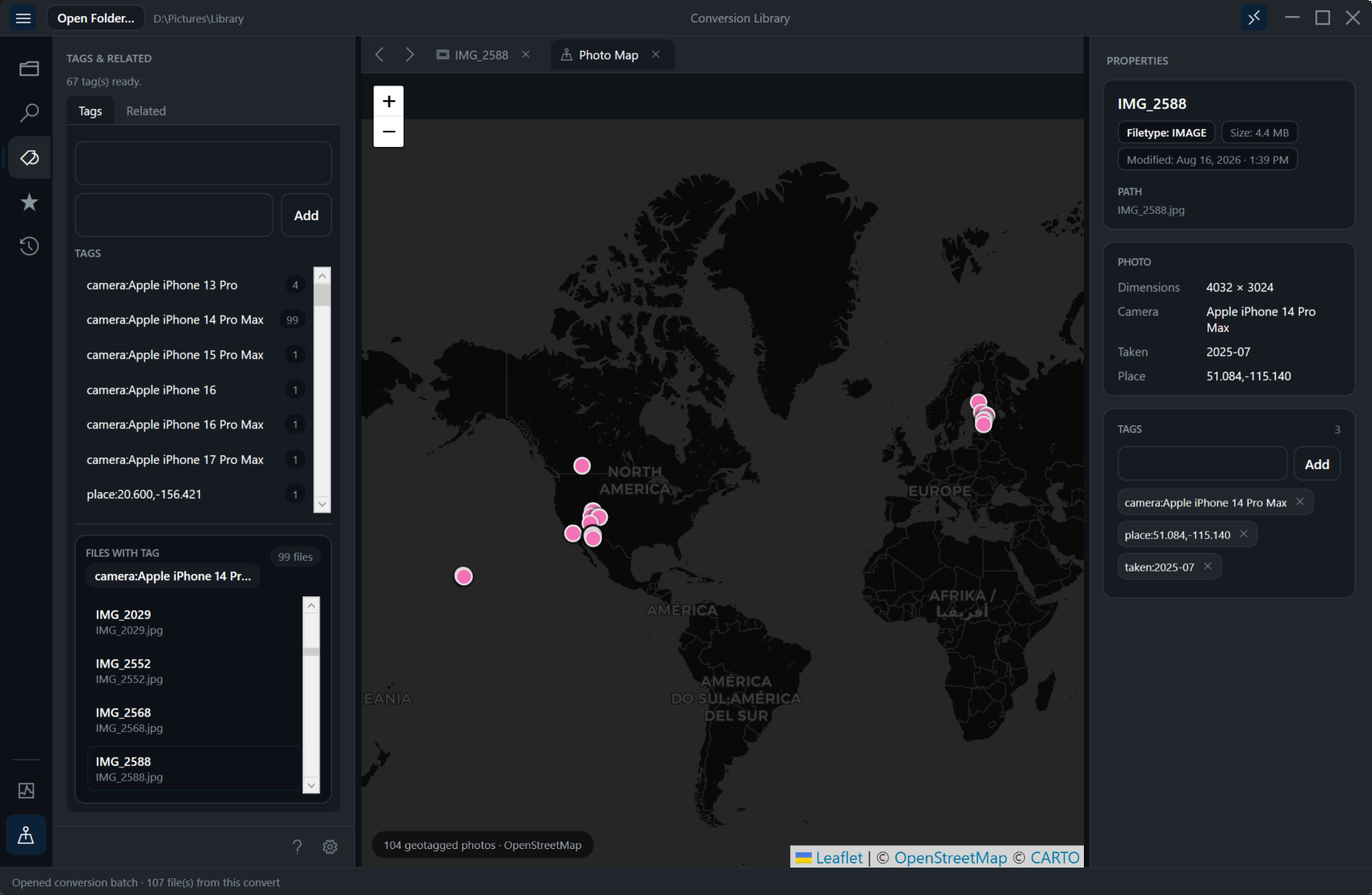
Geotagged photos from the converted set appear on a Photo Map. Pins mark where the pictures were taken. Click a pin to select that file in the library. This is local navigation from the coordinates already in the file, not a hosted map product.
In-library image preview shows HEIC, HEIF, TIFF, and related stills in the same window you already use for documents. You can see the picture without leaving the library and decide whether it belongs in a bookmark group or a review pack.
What the map is for
Use the Photo Map to find the vacation folder or the house pictures by place. Use EXIF tags when you remember a camera or a year instead of a filename.
Preview tabs, bookmarks, tags, related files
In-app preview tabs open a converted document or spreadsheet without launching Word or Excel for every glance. Find-in-document stays in the tab. Bookmark the files that matter and put them in bookmark groups, "house," "estate," "office 2003", so the next session starts from a short list.
Tags and the relationship graph are how files connect on disk: shared folders, shared terms, a photo next to the letter from the same trip. They are local navigation. They are not an agent.
Hand over a review pack, not the whole tree
From a search result or a multi-select, export a review pack. The library copies those files (relative paths preserved when it can) and writes index.csv and summary.md. That is a bounded folder for a relative, a lawyer, or a records clerk. The rest of the mixed archive stays on your disk.
After convert: Open in Conversion Library
Conversion Complete
Plus users get Open in Conversion Library as the primary action: index the new files and focus this batch. View output folder still opens Explorer.
Always open Library after convert
Check the box on this PC if you want the library to open with the dialog every time. The completion dialog stays visible so the counts remain in view.
Welcome back / resume
Open the library with no folder and you get Resume library on the last or pinned library, or Browse folder for a different tree.
Standard users see the Plus card on that same completion dialog. Just see the files still opens Explorer. The library window waits for a Plus key.
Standard converts. Plus unlocks the library.
Standard converts the files. Plus unlocks Conversion Library so you can search and navigate what you converted. Same MSI, Plus key. Legacy File Converter Standard remains the converter for the mixed archive. WordPerfect, HEIC, XPS, Lotus, and the rest. The Plus add-on is $29.95 one-time and unlocks the private library on this PC, including Photo Map, EXIF tags, and in-library image preview.
Keep the mixed archive on this PC
A converted family or office folder often includes certificates, medical scans, and personal photos. Conversion Library Plus indexes that folder locally. Nothing is uploaded.
Summary
Legacy File Converter already gets the mixed pile into modern formats. Conversion Library Plus is the private window you open afterward: search the documents, preview the photos, pin a place on the Photo Map, bookmark the few files that matter, and leave the archive on this machine.
Related reading
Ready to open your old files?
Start free, then unlock unlimited conversions with a one-time $79.95 Standard license. Download the Windows installer — full features for up to 10 files.
Free trial
Full app features · up to 10 files
Windows 10 or 11
Same free trial as always — download the Windows installer and convert locally on your PC.
Direct Windows installer · offline MSI
Is this safe? — publisher, installer, and SmartScreen help
Requires Windows 10 or 11. No subscriptions. 100% Windows Native.